
Add the Singer Portal to Your Phone
Want quicker access to everything IMC? Add the Singer Portal to your phone’s Home Screen and you can open it just like an app—no need to remember the web address each time.
iPhone / iPad
Open indianapolismenschorus.org/portal in Chrome or Safari and login to your portal.
Once you are logged in, tap the Share button at the top (Chrome) or bottom (Safari) of the screen (the square with the arrow pointing up).
Tap “View More” and Scroll down to Add to Home Screen.
Tap Add to Home Screen.
That’s it! Look for the Singer Portal icon on your Home Screen.
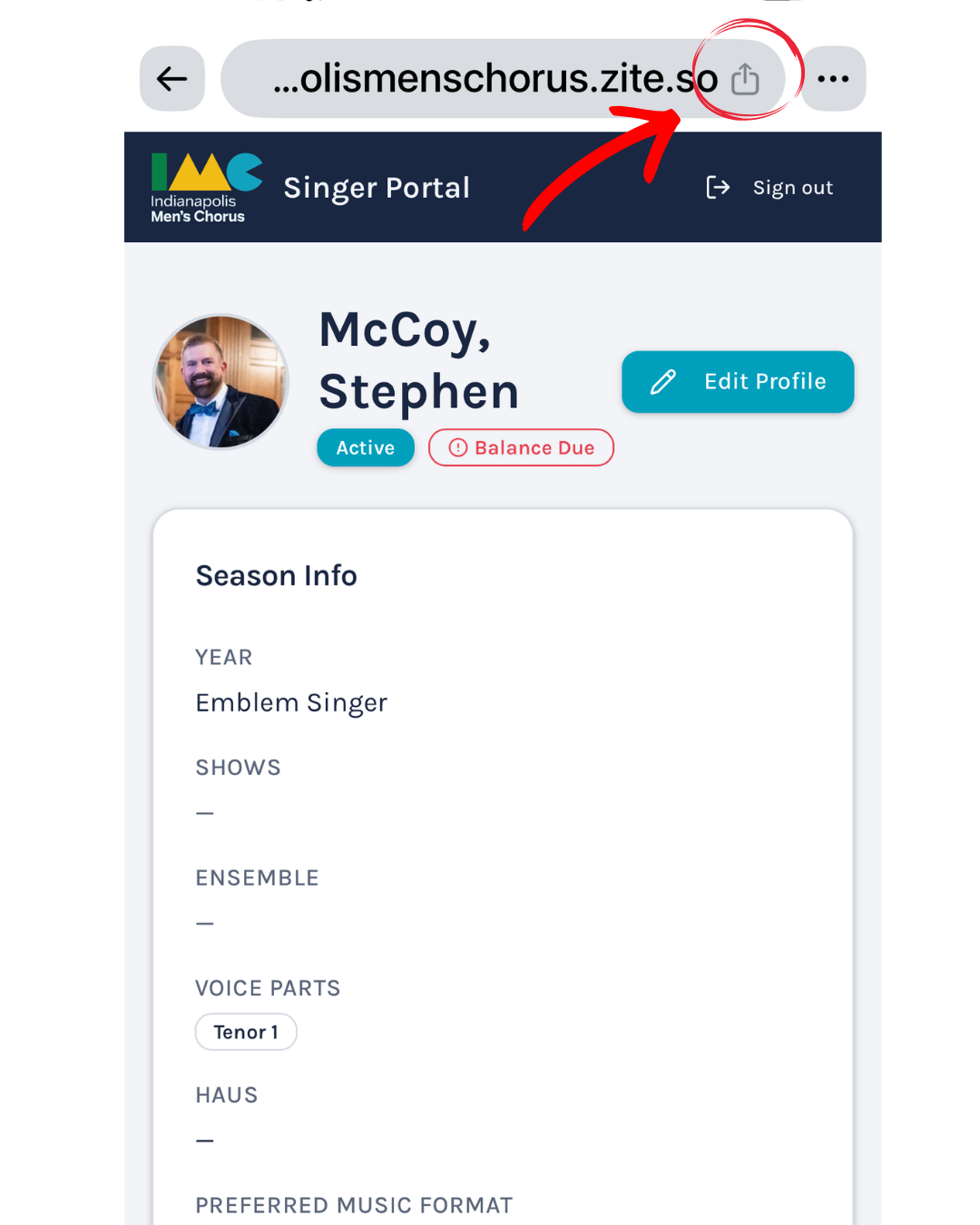
Step 1 & 2 with Chrome Browser Login
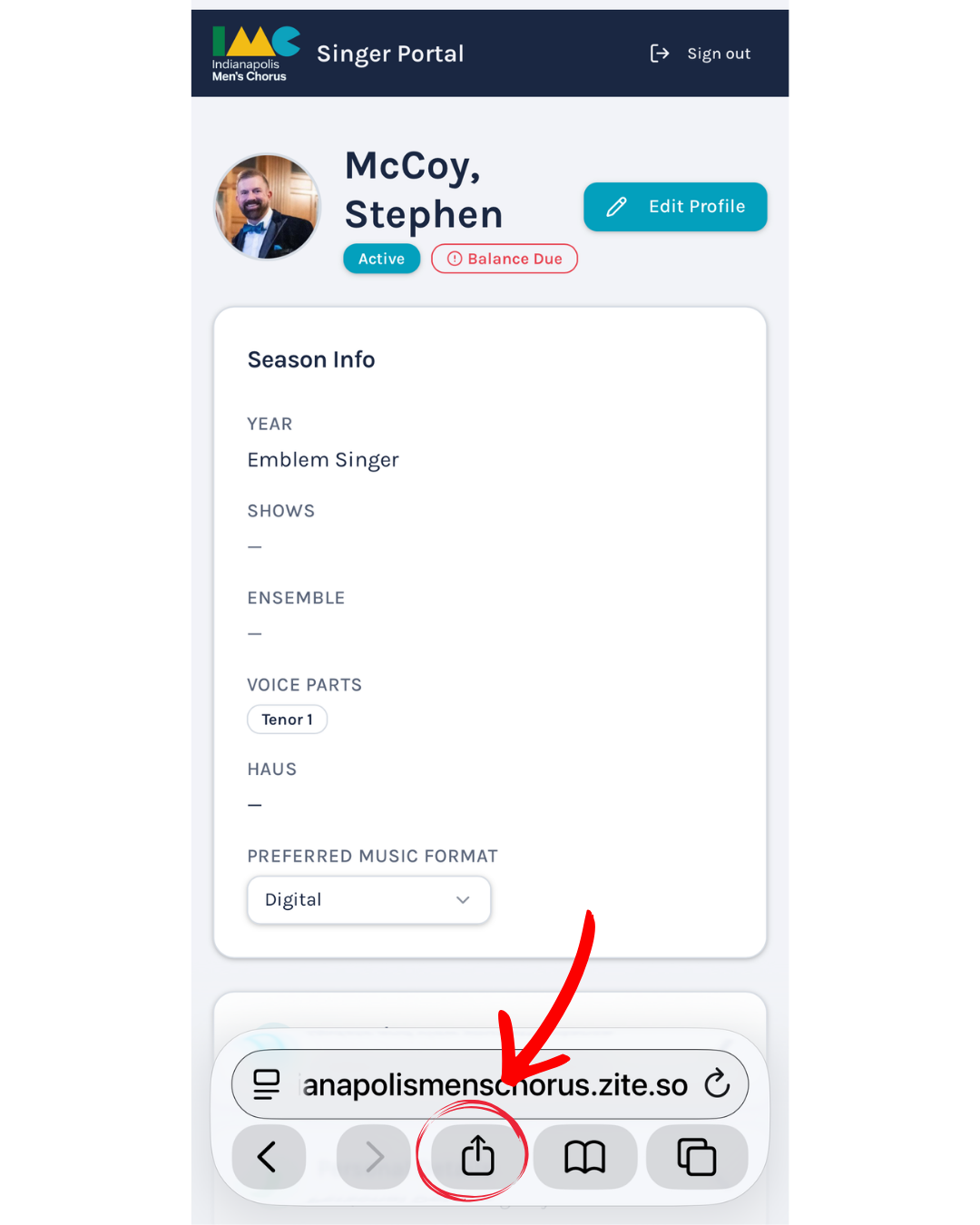
Step 1 & 2 with Safari Browser Login
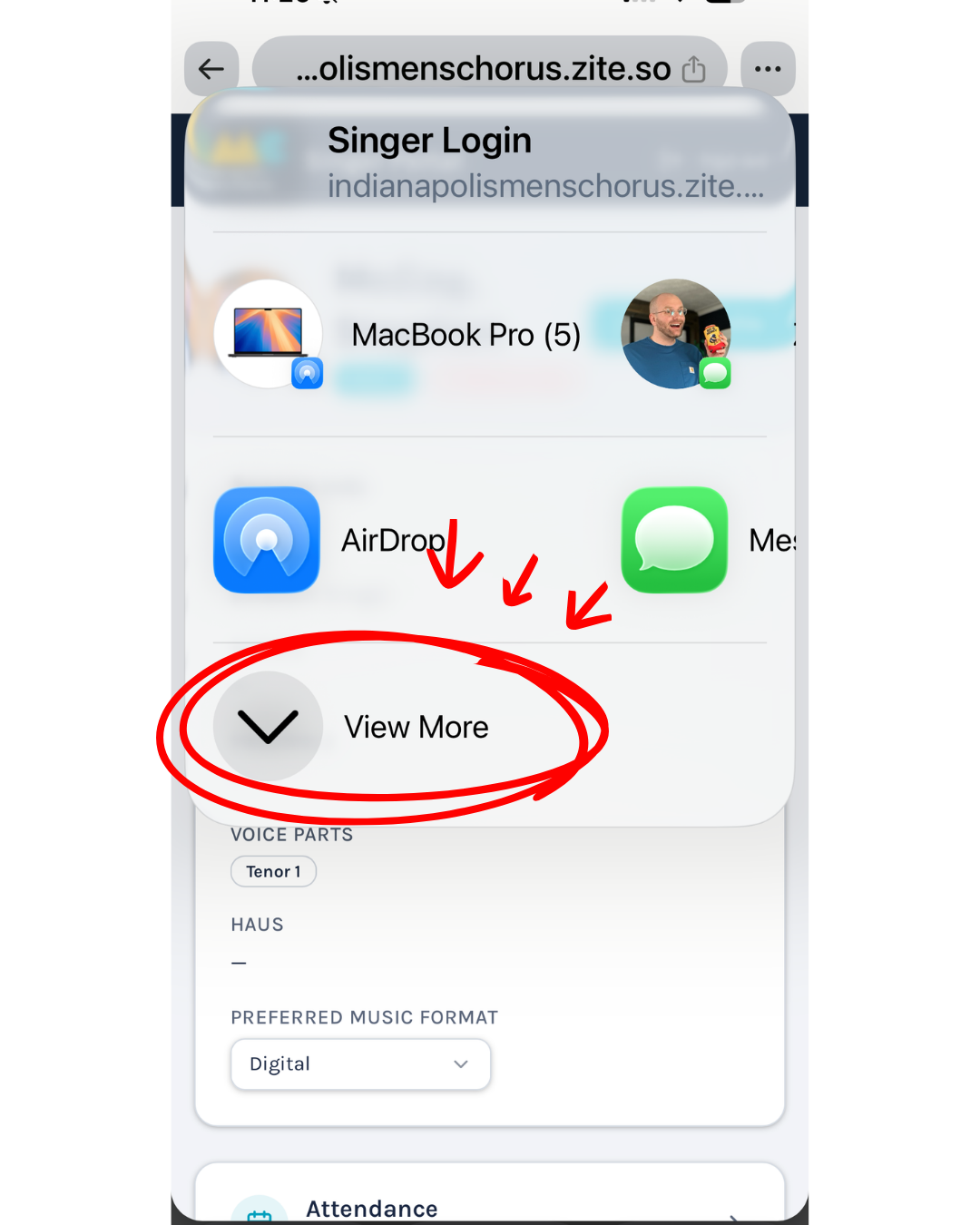
Step 3
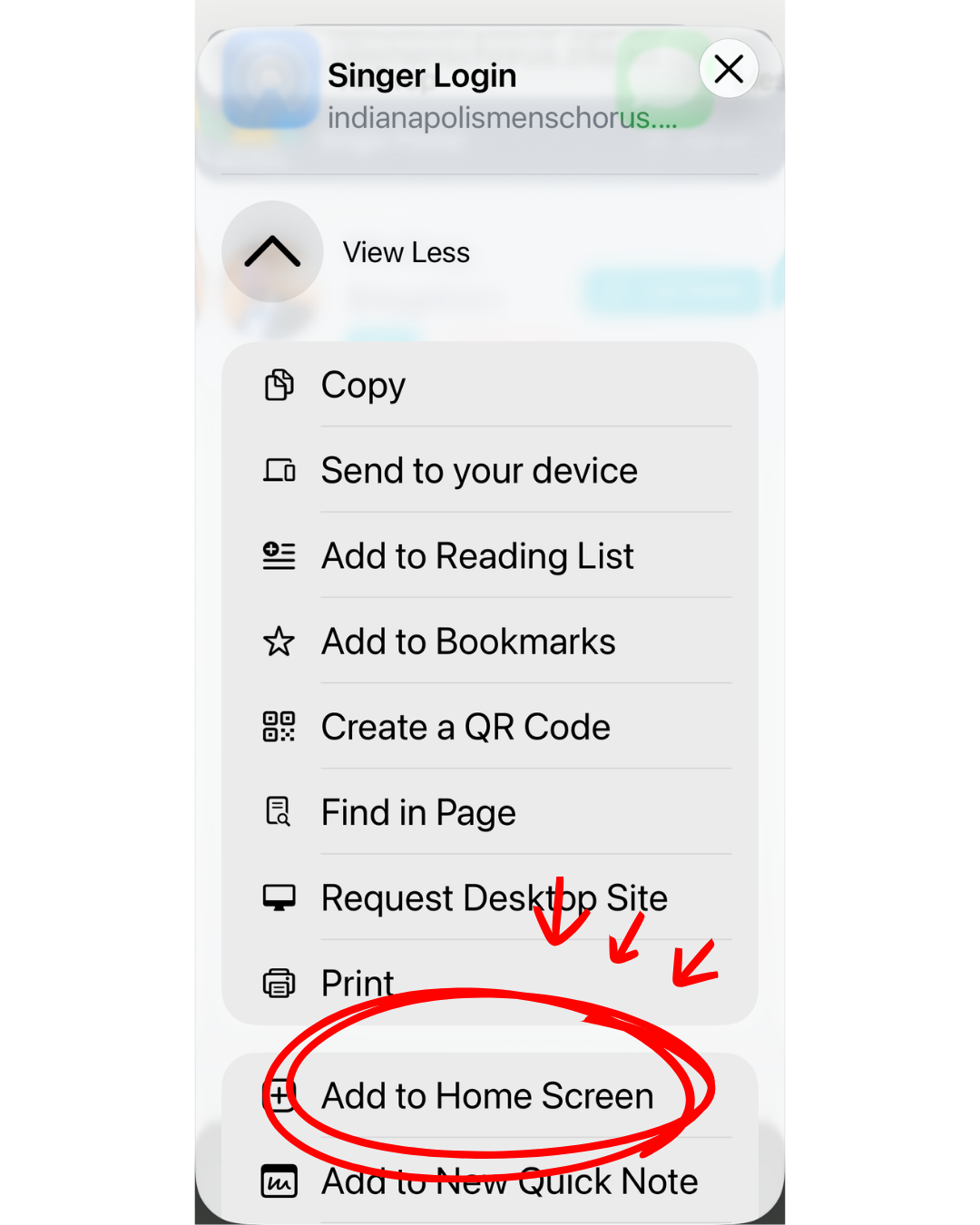
Step 4
Android
Open indianapolismenschorus.org/portal in Chrome or Google.
Tap the three-dot menu in the upper-right corner.
Tap Add to Home screen.
Tap Install and follow the prompts to add it.
Look for the Singer Portal icon on your Home Screen.
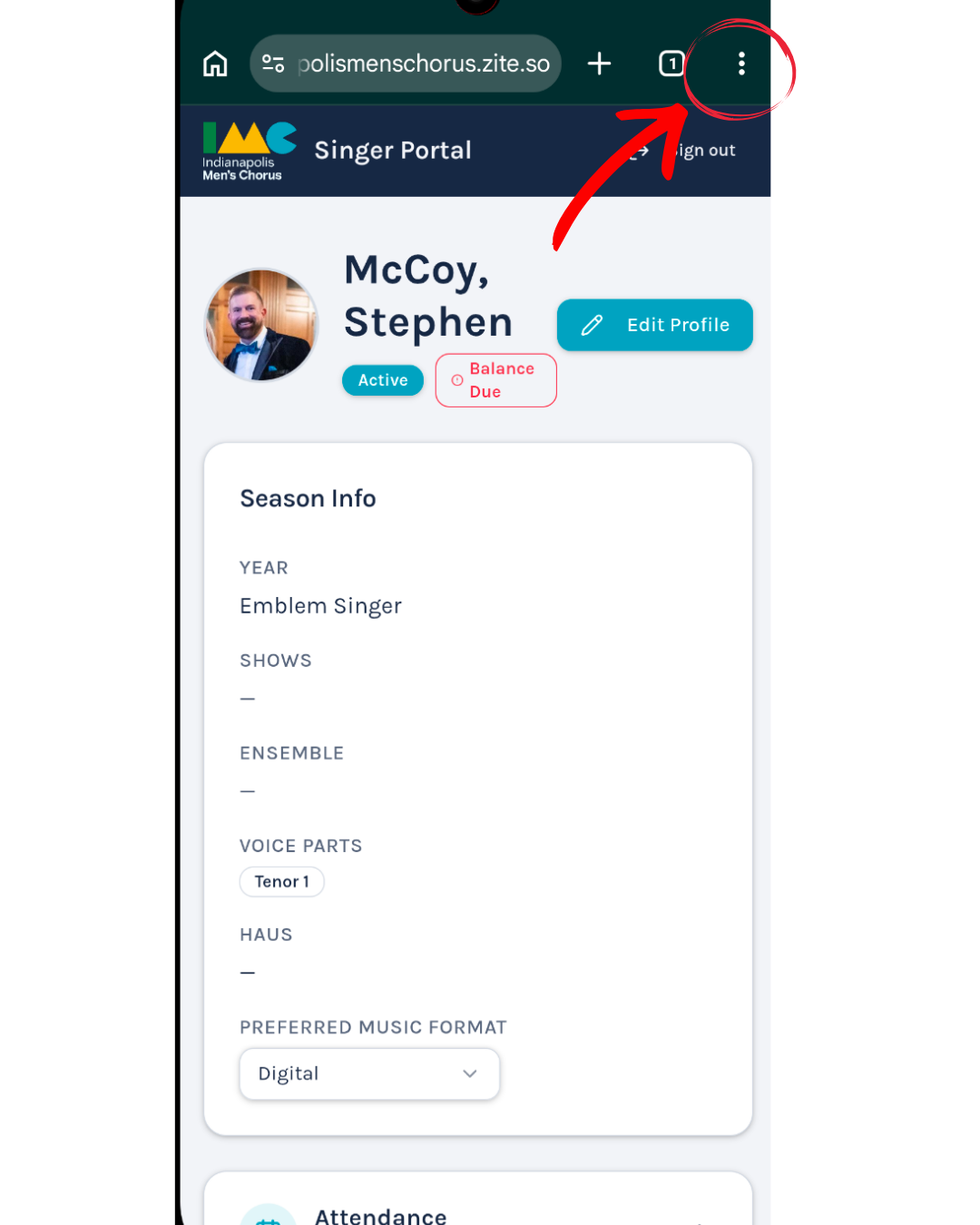
Step 1 and 2
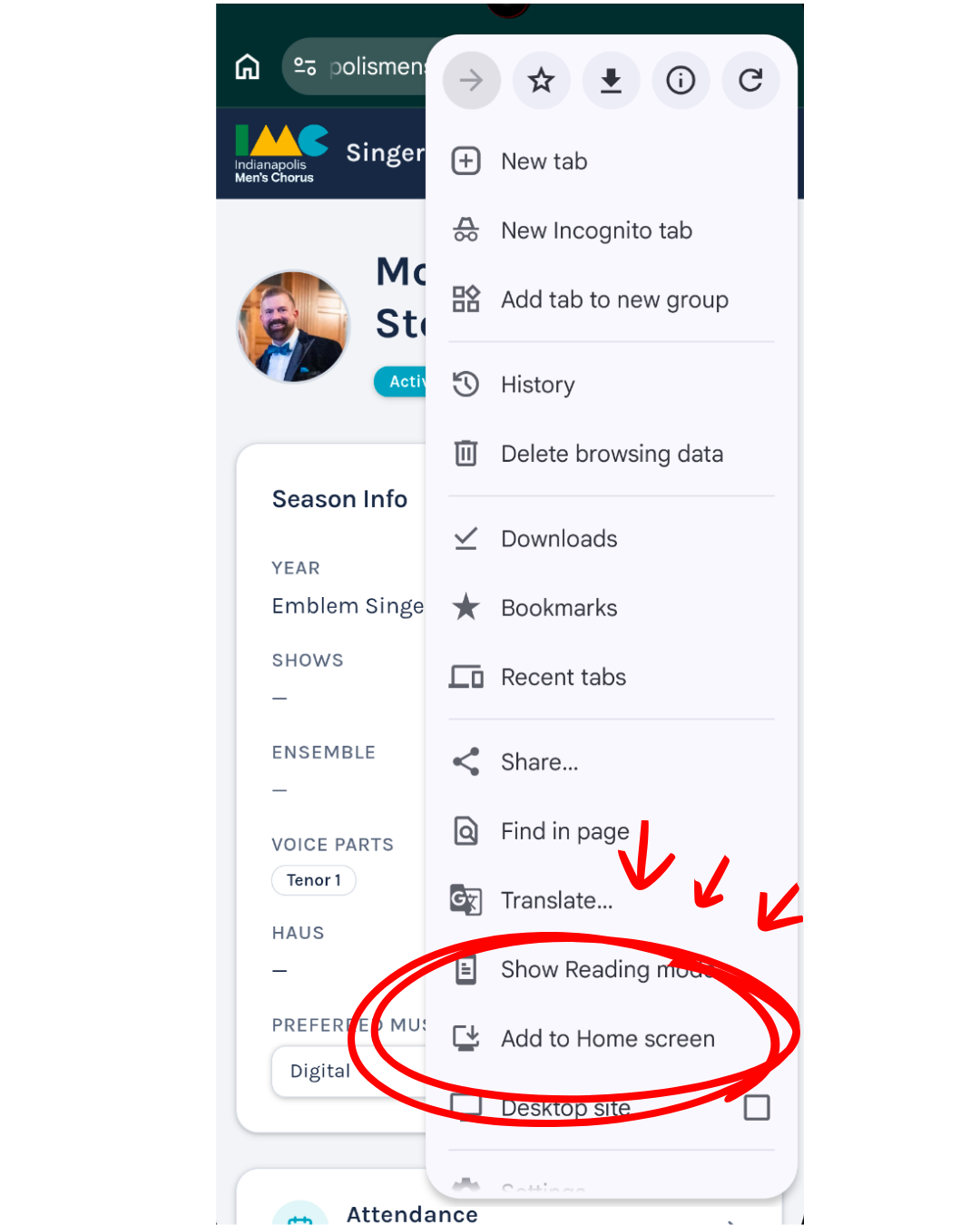
Step 3
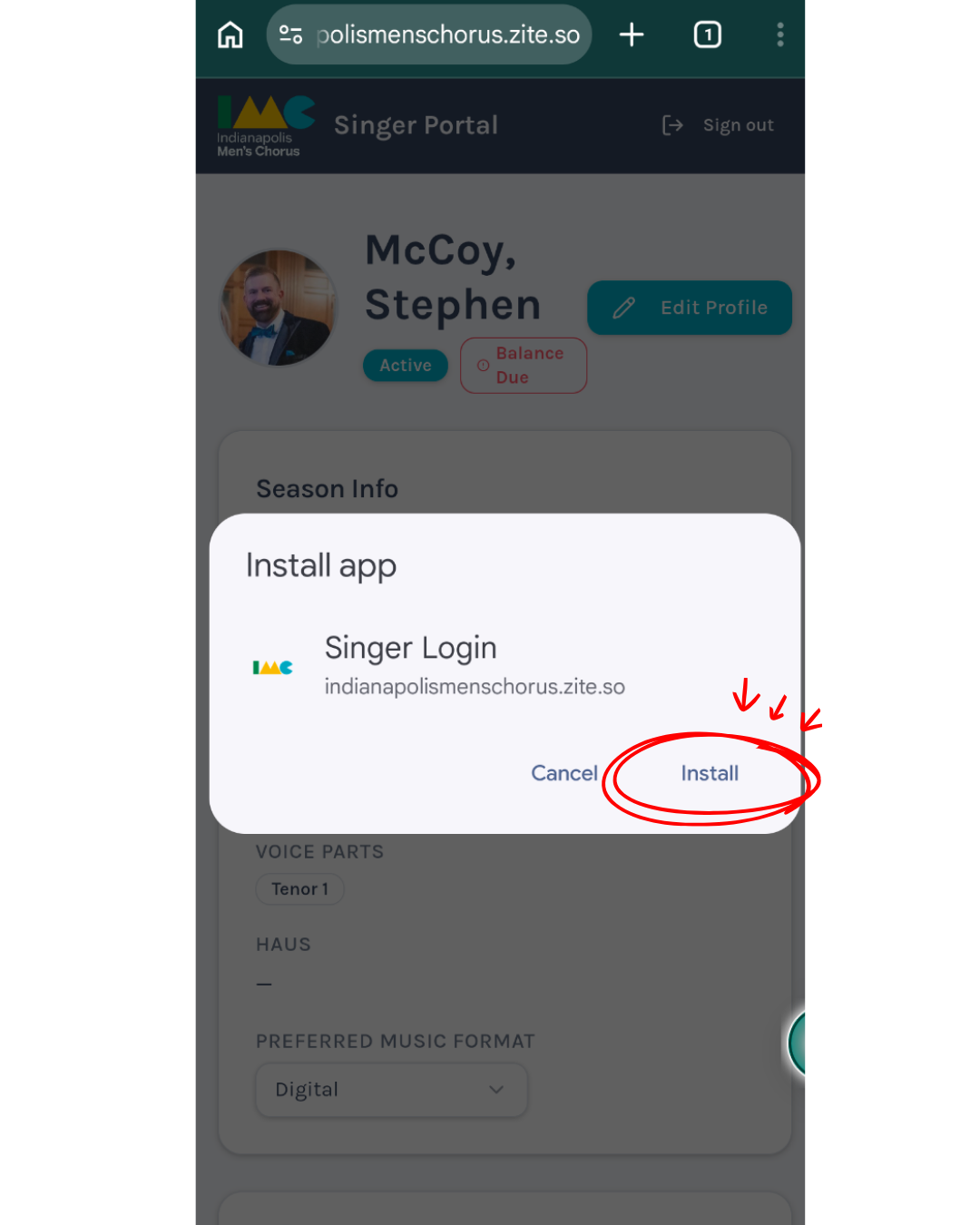
Step 4
Signing In
Continue with Google is the easiest way to sign in if you have registered a Google account with IMC.
Don’t use Google? No problem. Enter your registered email address and choose Magic Link. We’ll send you an email with a secure link that signs you in—no password required.
Having trouble? Contact Stephen McCoy and we’ll get you connected.